💬 Facebook Messenger Integration
This guide explains how to connect a Facebook Page to an AI Assistant in Ainisa.
After connecting, your AI Assistant will be able to receive and reply to Facebook Messenger inquiries automatically.
⚙️ Requirements
Before starting, make sure you have:
- An AI Assistant created
- An active API Key
- Admin access to the Facebook Page(s) you want to connect
🌐 How to Connect Facebook
Step 1: Open Integrations Page
Go to the following page:
https://ainisa.com/business/integrations
Click the Create Integration button. 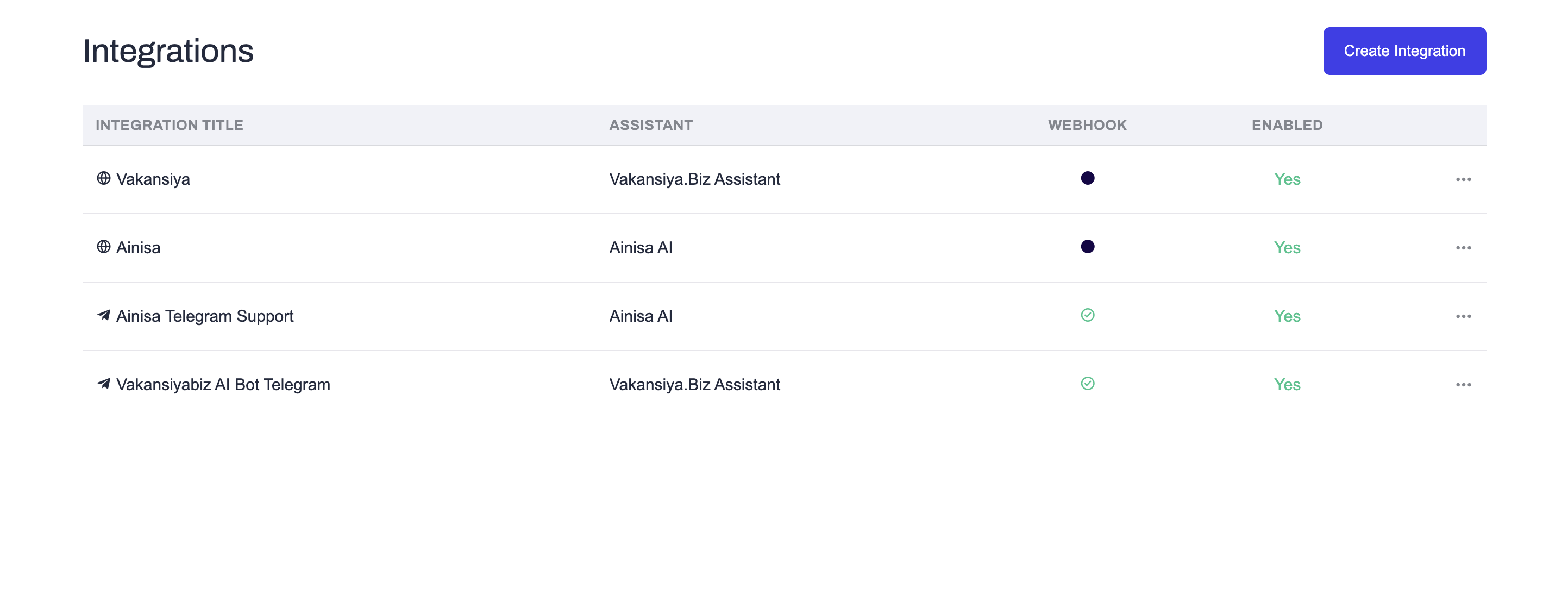
Step 2: Select Facebook
From the list of available integrations, select Facebook. 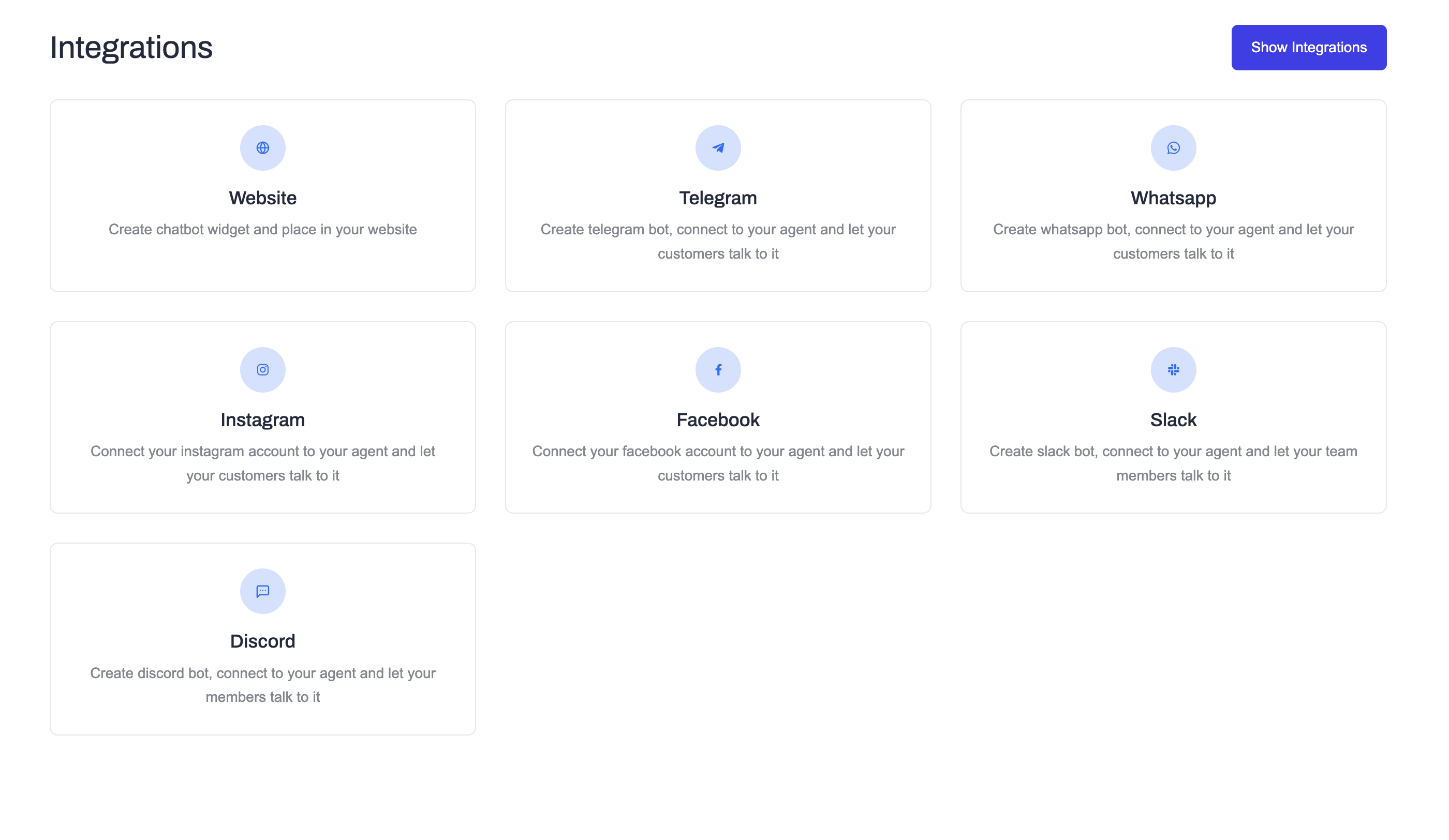
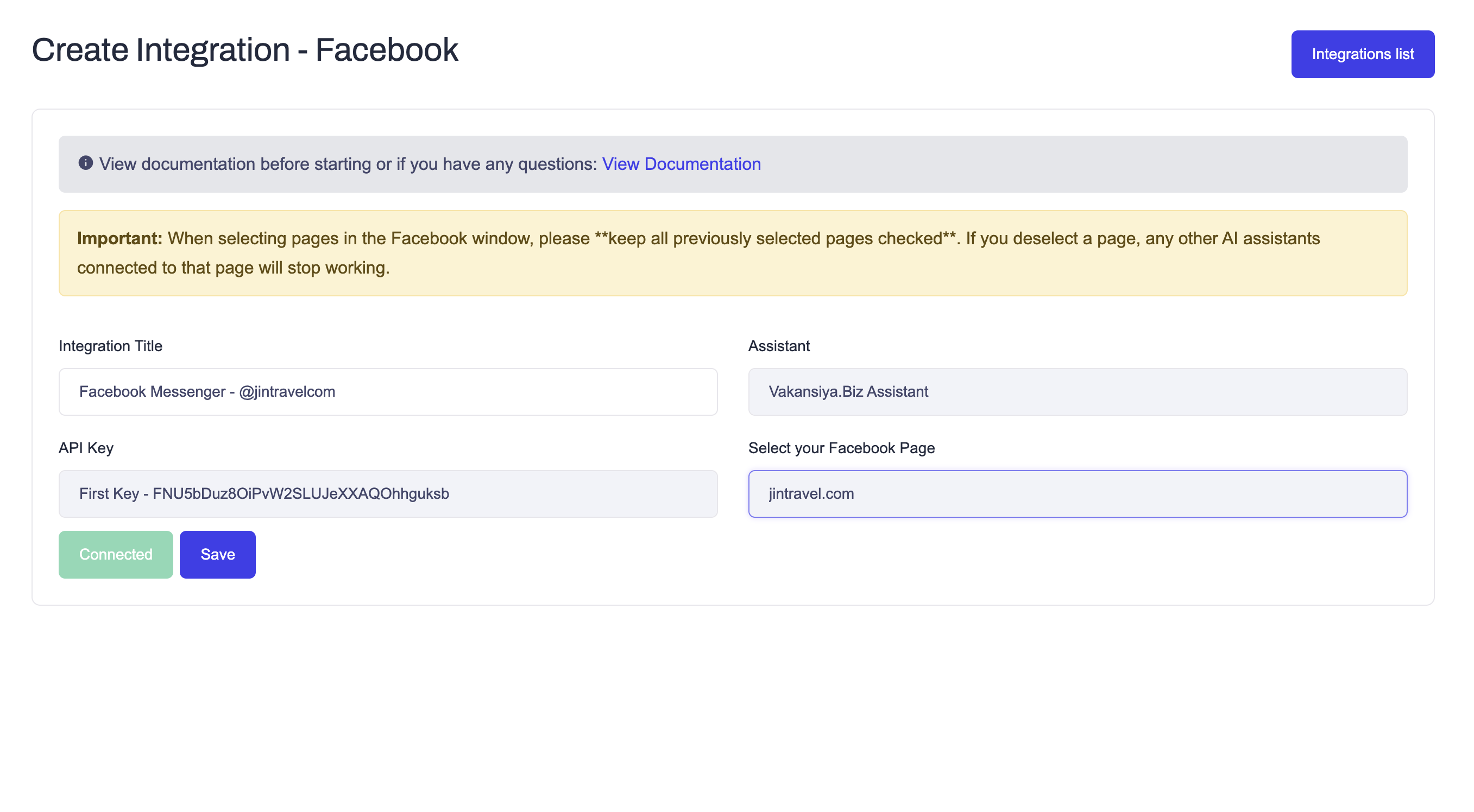
Step 3: Configure Integration
On the Facebook integration page:
- Select an API Key
- Select the AI Assistant
- Enter an Integration Title (optional)
Then click the Connect button. 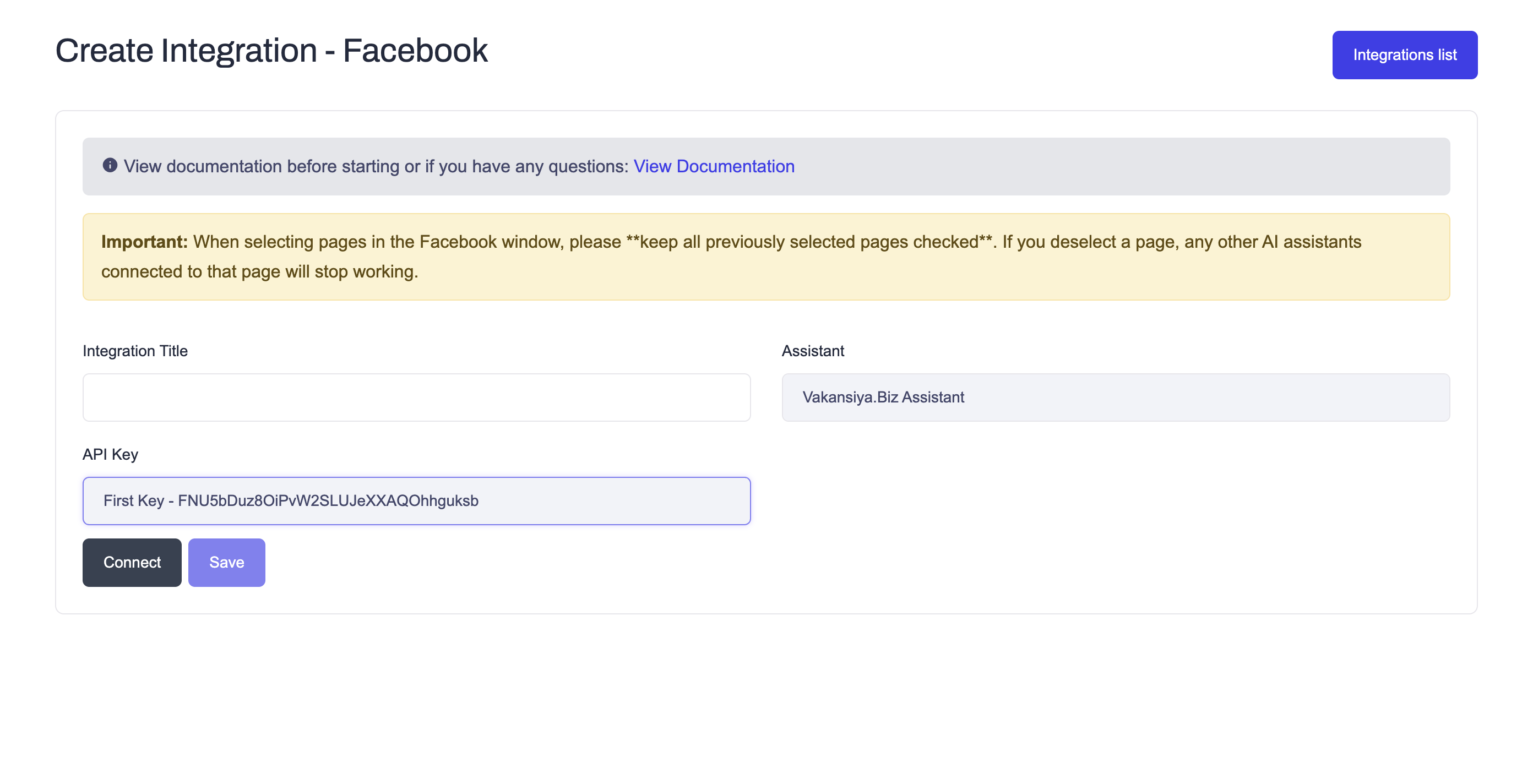
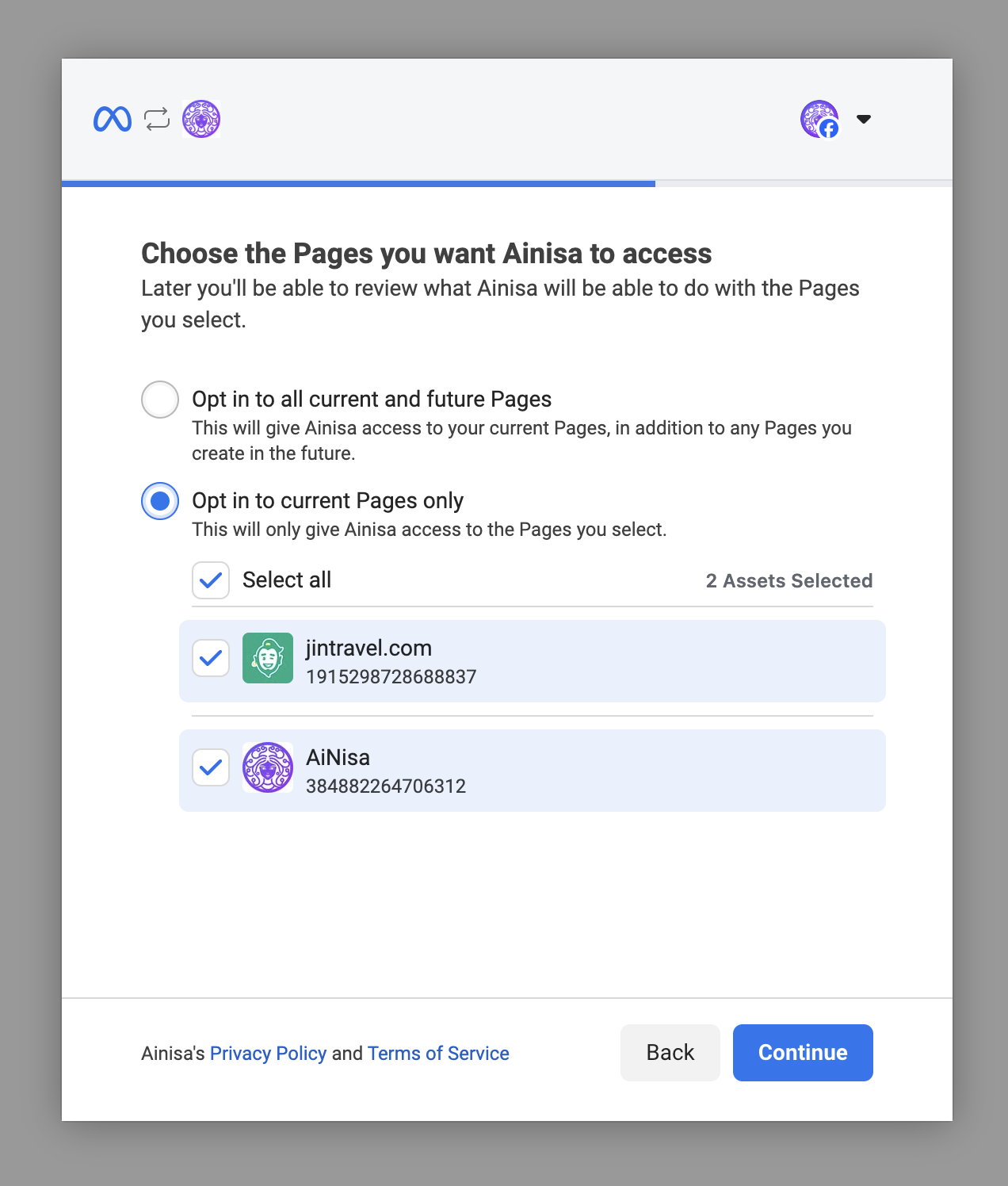
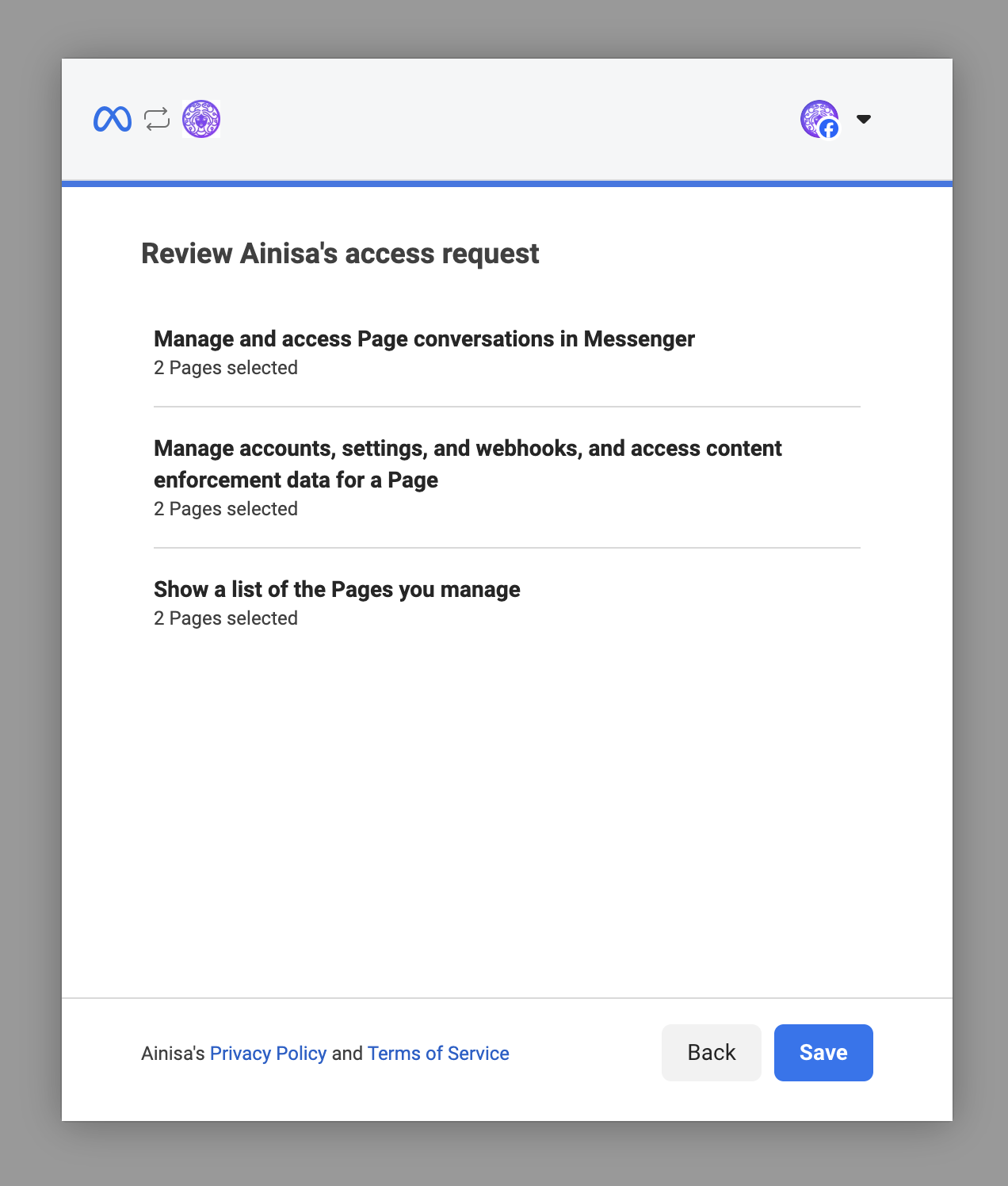
Step 4: Meta (Facebook) Authorization
After clicking Connect, a new window will be opened by Meta (Facebook).
On this page, you must:
- Log in to your Facebook account.
- Select Pages: Choose the Facebook Page(s) you want to allow Ainisa to access.
- Grant Permissions: Ensure all requested permissions (Messaging, Page List, and Metadata) are allowed to ensure the bot can receive and send messages.
Important: When selecting pages in the Facebook window, please keep all previously selected pages checked. If you deselect a page, any other AI assistants connected to that page will stop working.
Step 5: Select Your Facebook Page
After granting access, you will be automatically redirected back to the Ainisa platform.
- In the Select your Facebook Page dropdown, choose the specific page you want to link to this integration.
- Click the Save button.
Step 6: Finalize Connection
Once saved, the status will change to Connected. Your Facebook account is now linked to the selected AI Assistant.
✅ After Connection
Once connected:
- Incoming messages to your Facebook Page will appear in Ainisa chats.
- The AI Assistant will process and reply to inquiries automatically.
- You can monitor and jump into conversations at any time from the Ainisa dashboard.
🔒 Notes
- Official APIs: Ainisa uses the official Meta Graph API for secure and reliable communication.
- Permissions: We only request permissions necessary to read and respond to messages on your behalf.
- Management: You can update which pages are connected or delete the integration at any time from the integrations list.