💬 Tiktok Integration
This guide explains how to connect a Tiktok account to an AI Assistant in Ainisa.
After connecting, your AI Assistant will be able to receive and reply to Tiktok messages automatically.
⚙️ Requirements
Before starting, make sure you have:
- An AI Assistant created
- An active API Key
- Access to the Tiktok account you want to connect
🌐 How to Connect Tiktok
Step 1: Open Integrations Page
Go to the following page:
https://ainisa.com/business/integrations
Click the Create Integration button. 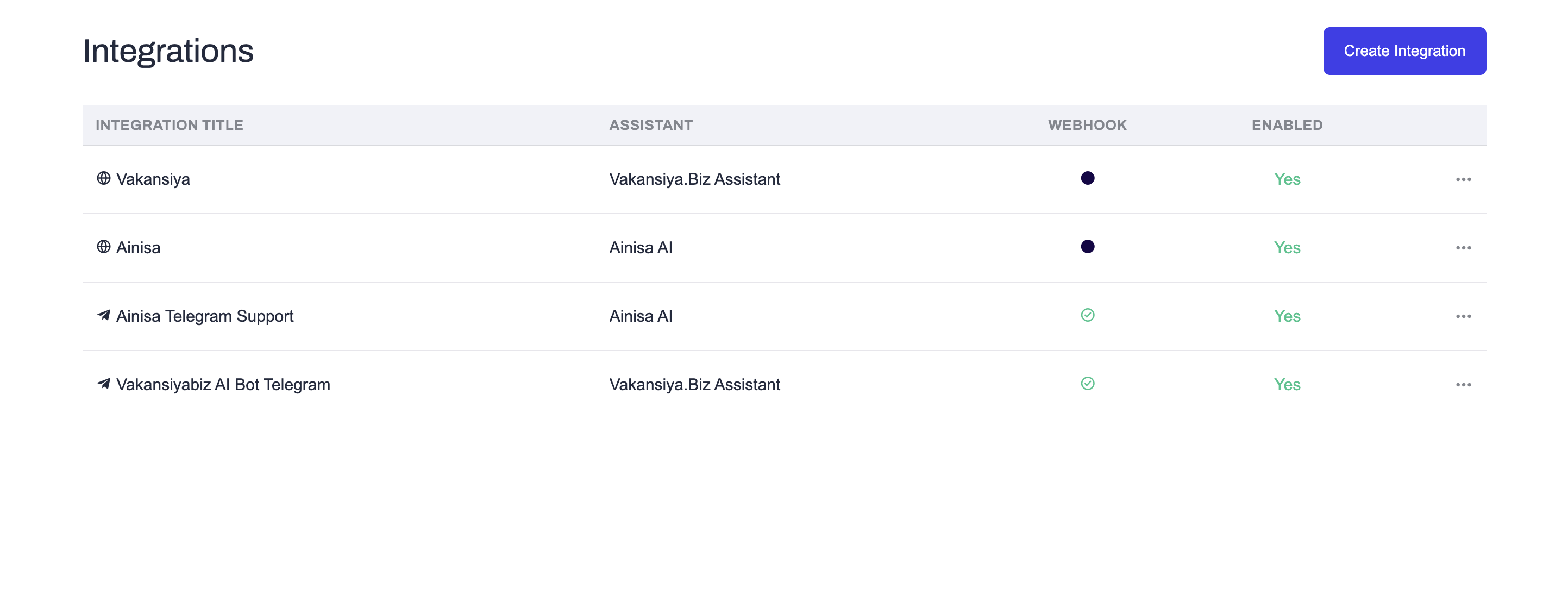
Step 2: Select Tiktok
From the list of available integrations, select Tiktok. 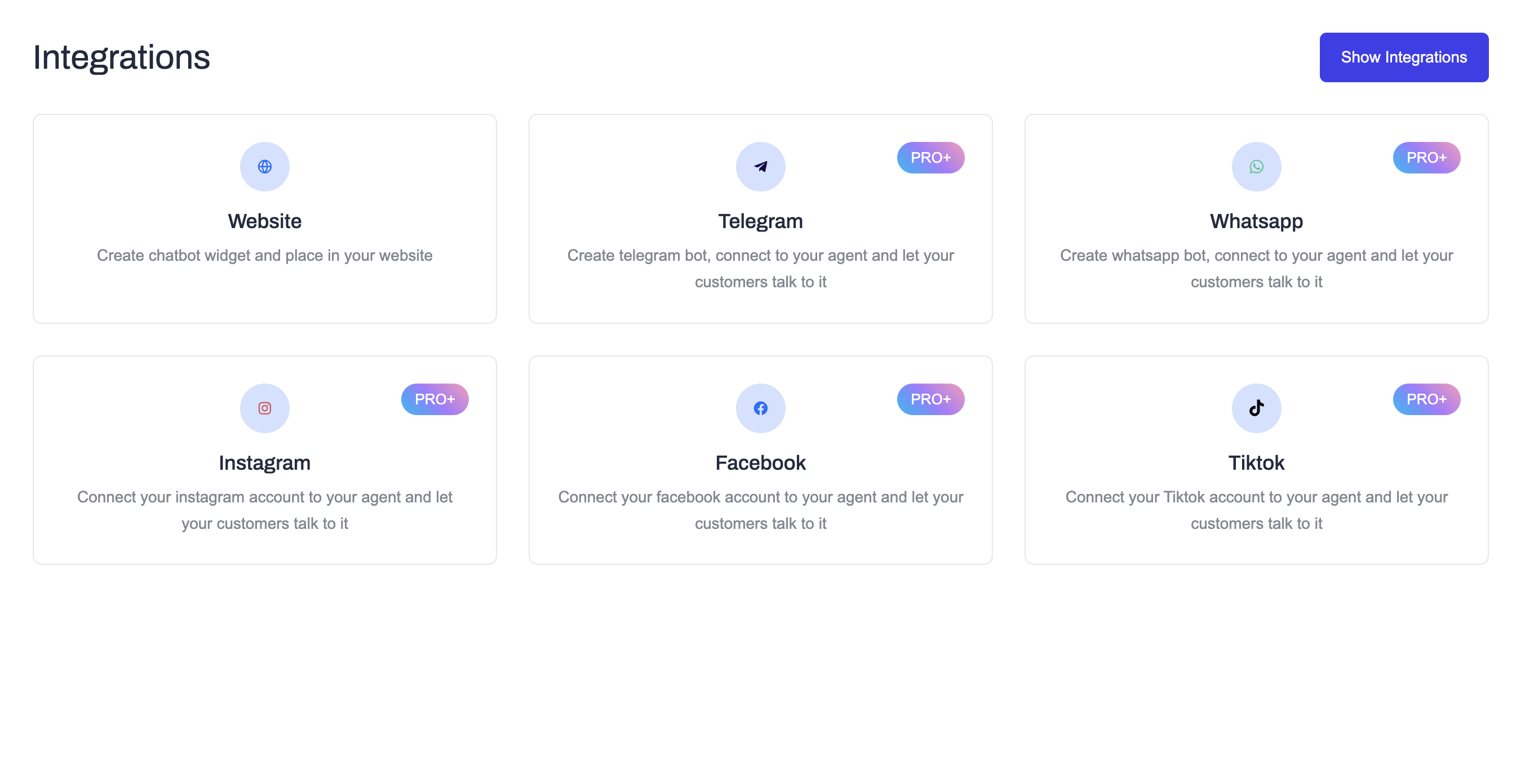
Step 3: Configure Integration
On the Tiktok integration page:
- Select an API Key
- Select the AI Assistant
- Enter an Integration Title (optional)
Then click Connect. 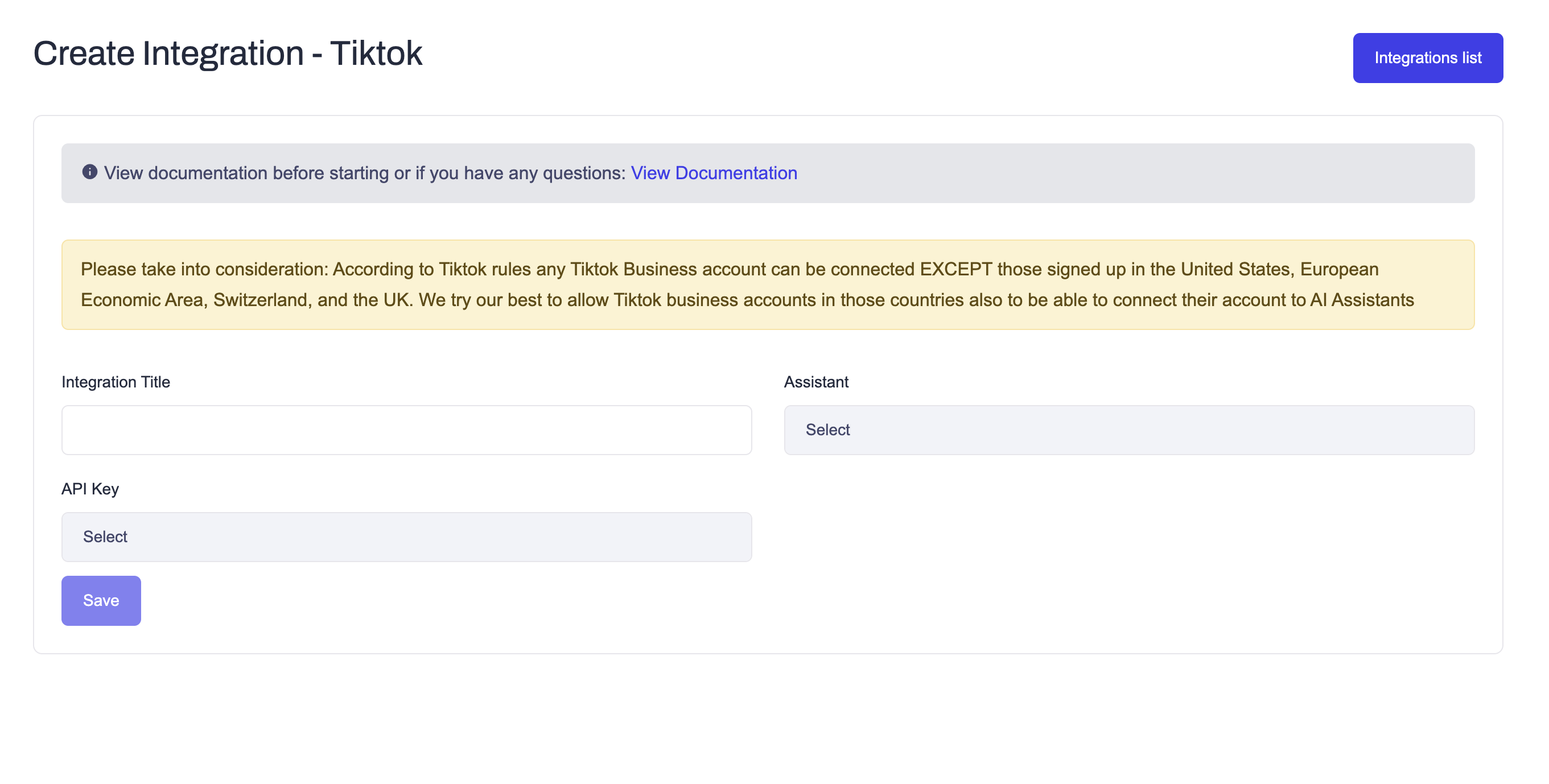
Step 4: Tiktok Authorization
After clicking Connect, you will be redirected to a Tiktok authorization page.
On this page you must:
- Log in to your Tiktok account
- Choose the Tiktok account you want to connect
- Allow Ainisa to access messages and manage conversations/messages
Those permissions are required for the integration to work.
Step 5: Redirect Back to Ainisa
After granting access, you will be redirected back to Ainisa automatically.
The Tiktok account will be added to your integrations list and linked to the selected AI Assistant.
✅ After Connection
Once connected:
- Incoming Tiktok messages will appear in Ainisa chats
- The AI Assistant can reply automatically
- Conversations can be monitored from the dashboard
🔒 Notes
- Ainisa uses official Tiktok APIs
- Only required permissions are requested
- You can disable or delete the integration at any time